Booking with Direct Ferries FAQs

Booking with Direct Ferries FAQs
Direct Ferries is one of the world's largest online ferry booking platforms, founded in 1999 and covering almost 4,000 routes around the globe. Direct Ferries acts as a booking agent, searching, comparing, and reserving tickets from over 270 ferry operators on your behalf. This guide answers the most frequently asked questions about using Direct Ferries, from making your first search to understanding payment, amendments, cancellations, and refunds.
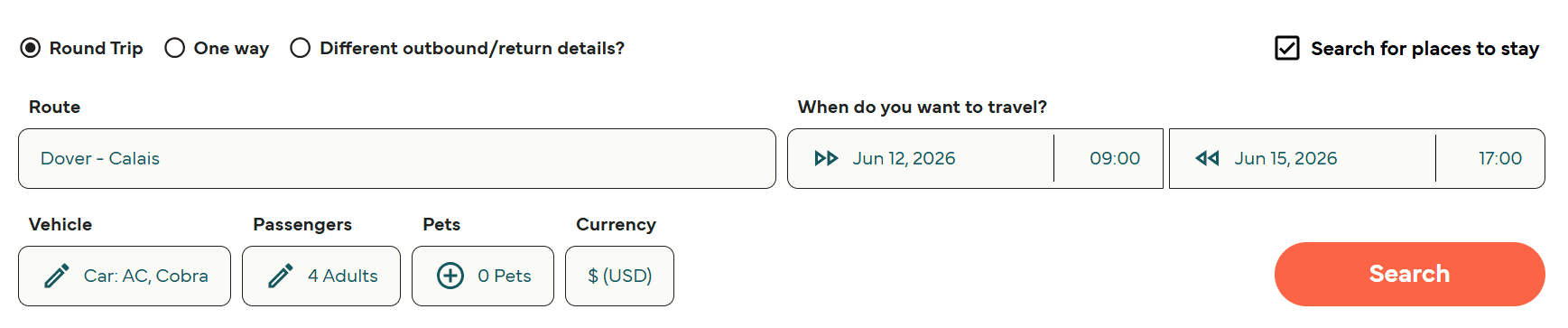
The search tool on the Direct Ferries website and app allows you to find available crossings by entering your departure port, destination port, travel date, and the number of passengers and vehicles. Results display available sailings from multiple operators on the same route, showing departure times, crossing durations, and fares side by side.
Yes, the search form offers both single and return journey options. For a return, you must enter both outbound and return dates in the same search. You can also search for two separate one-way crossings independently if you prefer more flexibility over the outbound and return legs.
The standard search requires specific travel dates, but some routes enable you to view a range of fares across a calendar view so you can compare prices across different departure days. Traveling mid-week or outside school holiday periods is usually the best way to secure cheap ferry tickets.
Direct Ferries covers almost 4,000 routes, including major UK departures such as Dover to Calais, Dover to Dunkirk, Holyhead to Dublin, Portsmouth to Santander, and many more. It also covers a wide range of European and international routes — Mediterranean crossings, Baltic and Scandinavian sailings, North African routes, and further afield. Not every operator on every route is listed, so if you don't find what you're looking for, check out our operator page.
Once you've selected a sailing from the search results, the booking process follows a few straightforward steps.
Choose your preferred route and when you would like to travel. You can also decide whether you would like to bring a vehicle, or travel as a foot passenger or with a pet. You can also change your preferred currency in the bottom right corner. Please enter your vehicle details if applicable (including the make, model, and accurate dimensions of your vehicle).
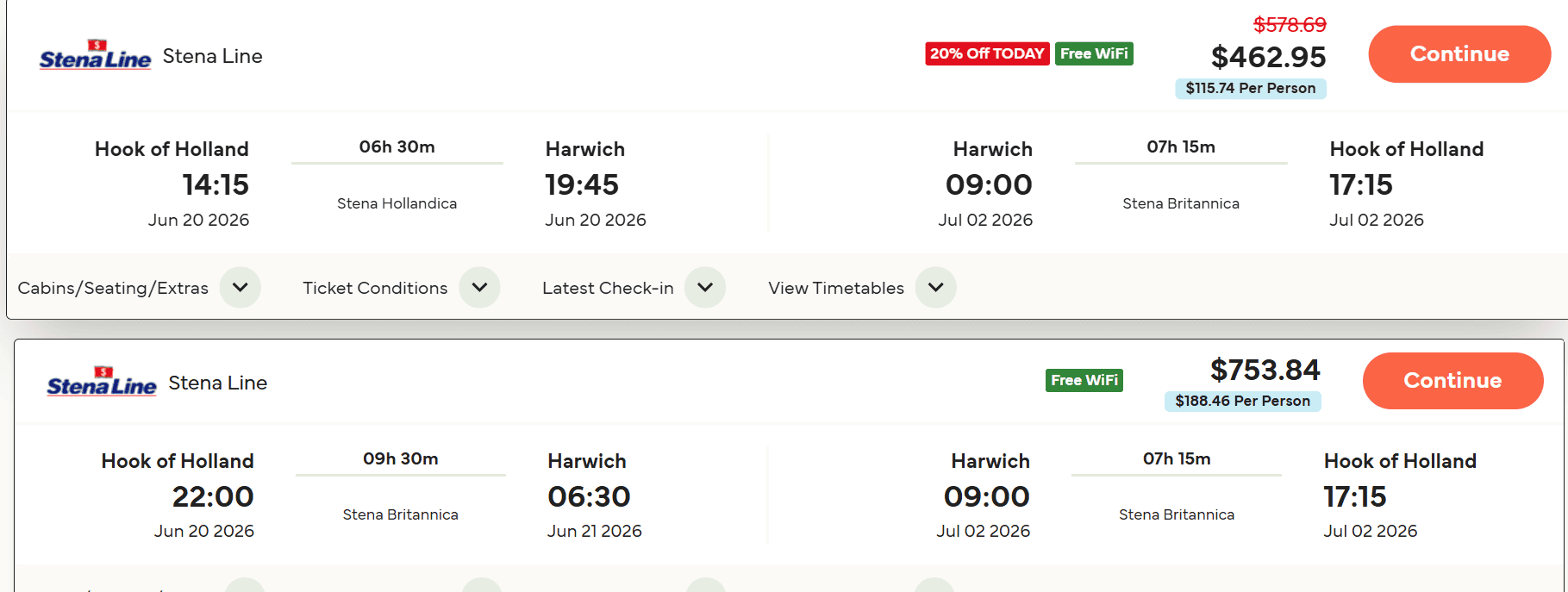
You will then be presented with a list of sailings. The cheapest sailing is typically shown at the top of the page. Pick which sailing best suits your travel plans.
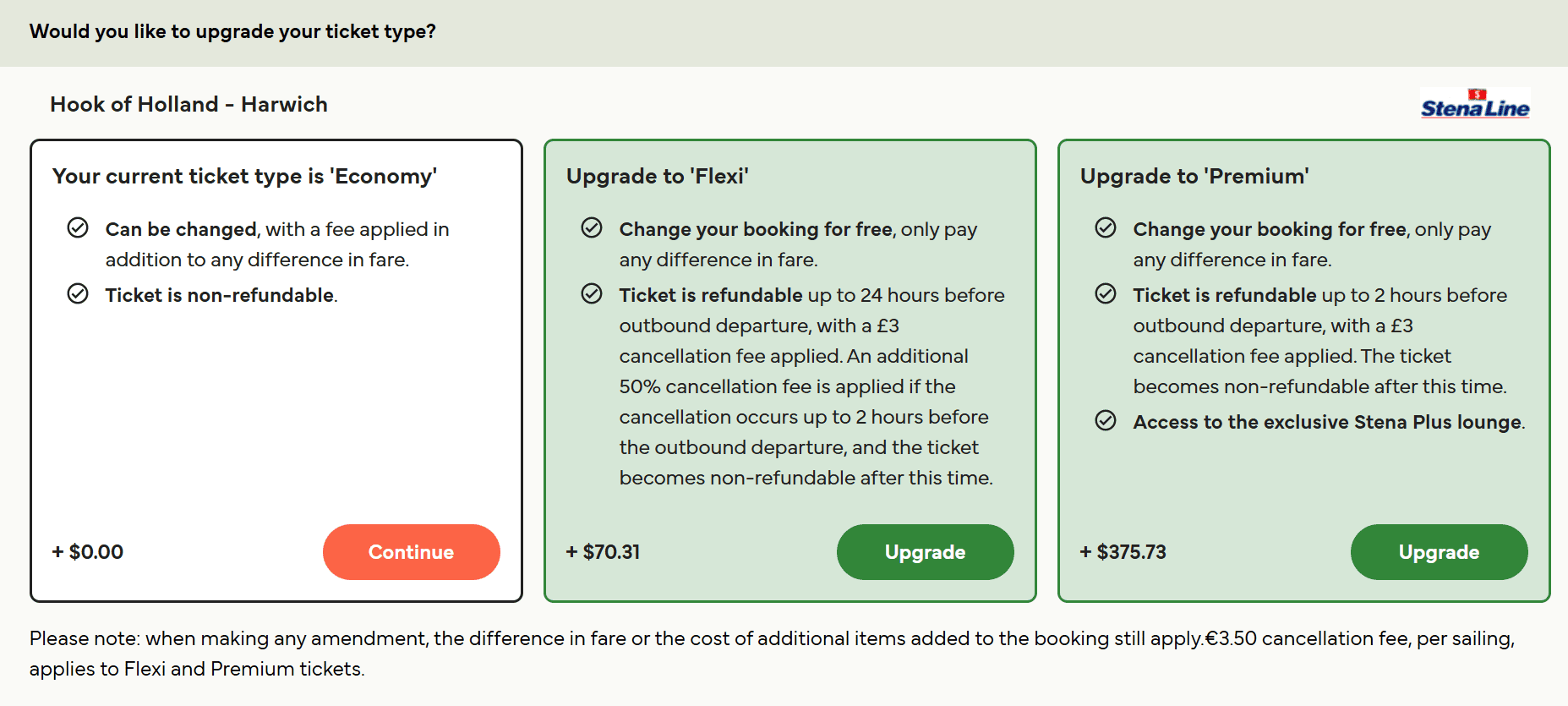
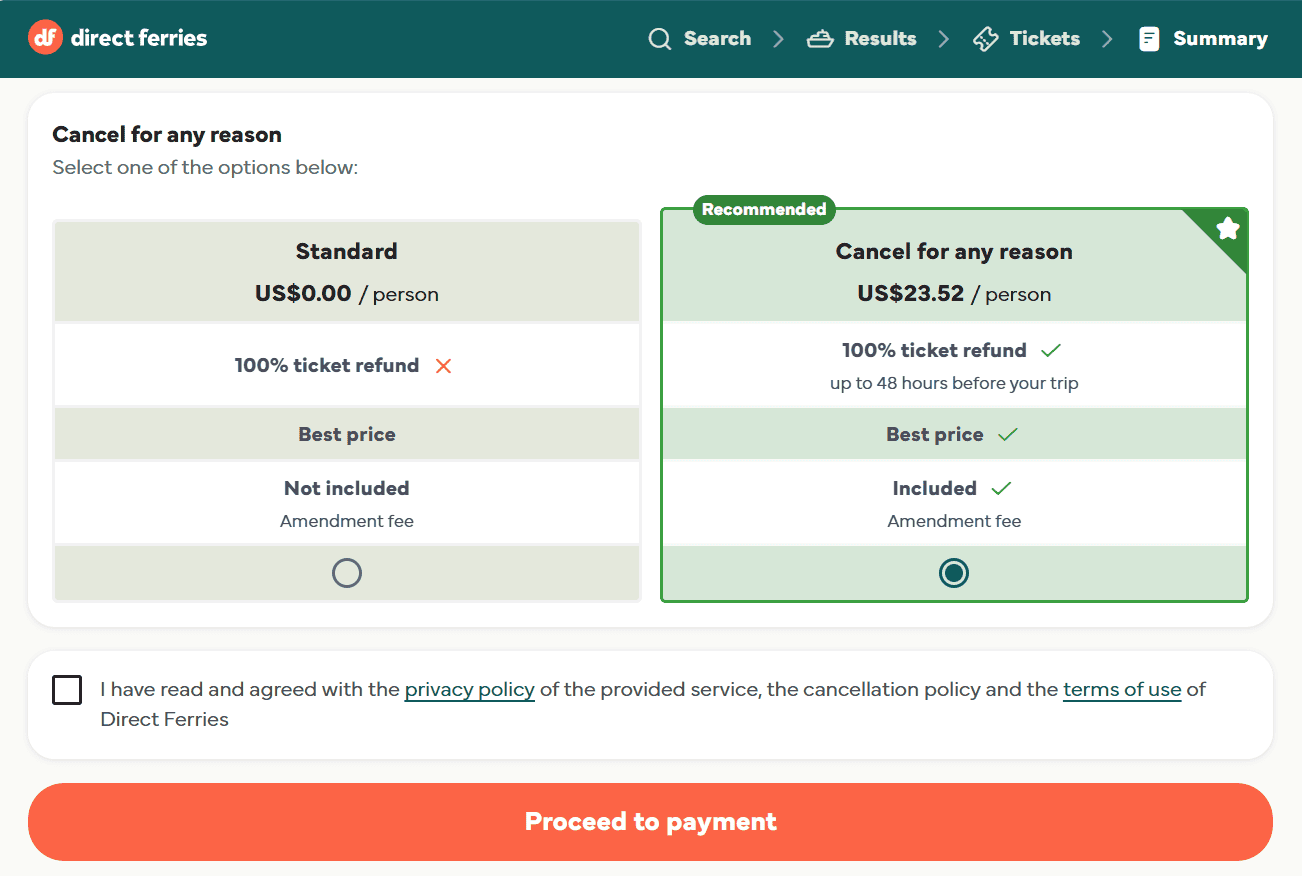
You will be offered optional add-ons such as cabin upgrades, meal packages, travel insurance, or flexibility cover such as Cancel For Any Reason (CFAR). These must be added at the time of booking as they cannot be purchased separately after the reservation is confirmed.
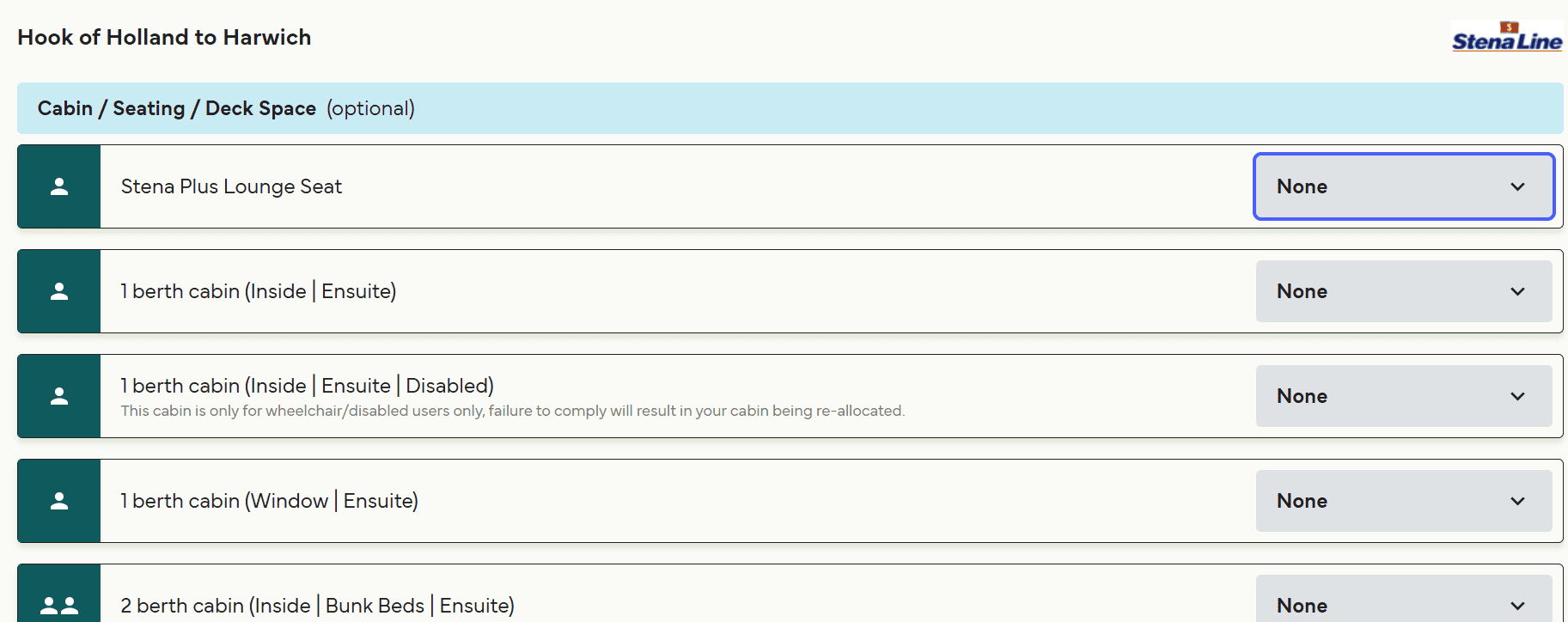
You can then choose if you would like to add cabin accommodation or upgraded seating and deck space. These options can vary depending on the route you are taking. When you scroll down, you can also select whether you would like to reserve pre-booked meal packages. If not, just click continue.
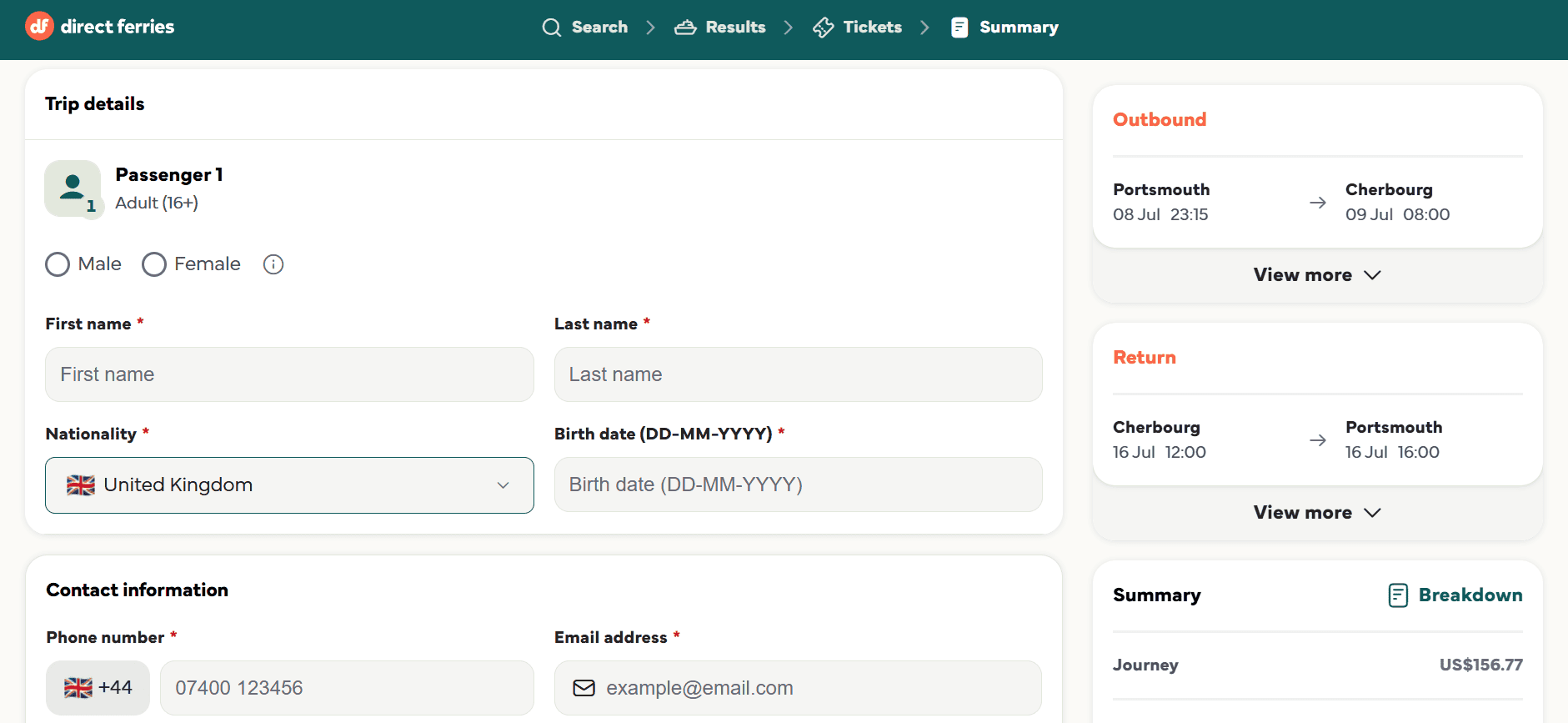
You will then be asked to provide names for all traveling passengers and contact information. All information must be complete and accurate. Please be aware that any discrepancies between passenger names and travel documents can cause problems at the port.
A summary of your booking and the total price, including any applicable service fee, is displayed before you confirm. Once you are satisfied with the details you have provided, you complete payment and receive a confirmation. The contract between you and the ferry operator is formed once the confirmation advice note has been issued.
Service Fee: Direct Ferries applies a small service fee to most bookings. This fee may vary depending on your ticket type and the number of passengers, and it is always clearly displayed before you confirm your reservation. As a third-party ticket aggregator, this fee supports the service we provide, including helping you easily compare routes and secure your ferry tickets in one convenient place.
Direct Ferries accepts a wide range of payment methods, though the options available can vary depending on the route, ferry operator, and the currency used for the booking.
Direct Ferries accepts most major credit and debit cards, PayPal, and Apple Pay. Accepted card types include Visa, Mastercard, American Express, Maestro, Visa Electron, and UK Visa/Mastercard Debit cards.
Payment is typically taken in full at the time of booking. You might see a payment authorisation appear on your card or account as soon as you complete the booking, but the charge will only be fully debited when the reservation is confirmed. If Direct Ferries cannot confirm the booking for any reason, the authorisation is released, and no charge is made.
If your payment fails, it is usually due to a temporary issue between our payment system and your bank, or a problem with your card. You can try again using the same card or choose a different payment method. If the issue continues, we recommend contacting your bank to check whether any security restrictions are affecting your online payment.
A confirmation email is sent automatically as soon as payment is completed. Your Direct Ferries booking reference always starts with the letters DFP (or DFF for freight bookings) and appears at the top of the confirmation email. If you haven't received anything after a few minutes, check your junk or spam folder. You can also resend the confirmation email from the Direct Ferries website.
For some ferry companies, Direct Ferries will need to contact the operator to manually confirm your reservation. If this happens, you will receive a provisional confirmation email with a temporary reference, and Direct Ferries will follow up with full confirmation within 24 to 48 hours. In the unlikely event the booking cannot be confirmed, you will be notified and issued a full refund.
Ticket delivery varies by operator, but most ferry companies now provide convenient e-tickets issued instantly upon booking. These are sent directly with your confirmation email, allowing you to travel paper-free and head straight to boarding.
In some cases, your confirmation email may act as your booking reference, enabling you to complete a quick online check-in before departure or collect tickets at the port if required.
Your confirmation email will include specific instructions explaining exactly how to obtain your tickets for your particular sailing. If in doubt, log in to My Account to verify your booking status.
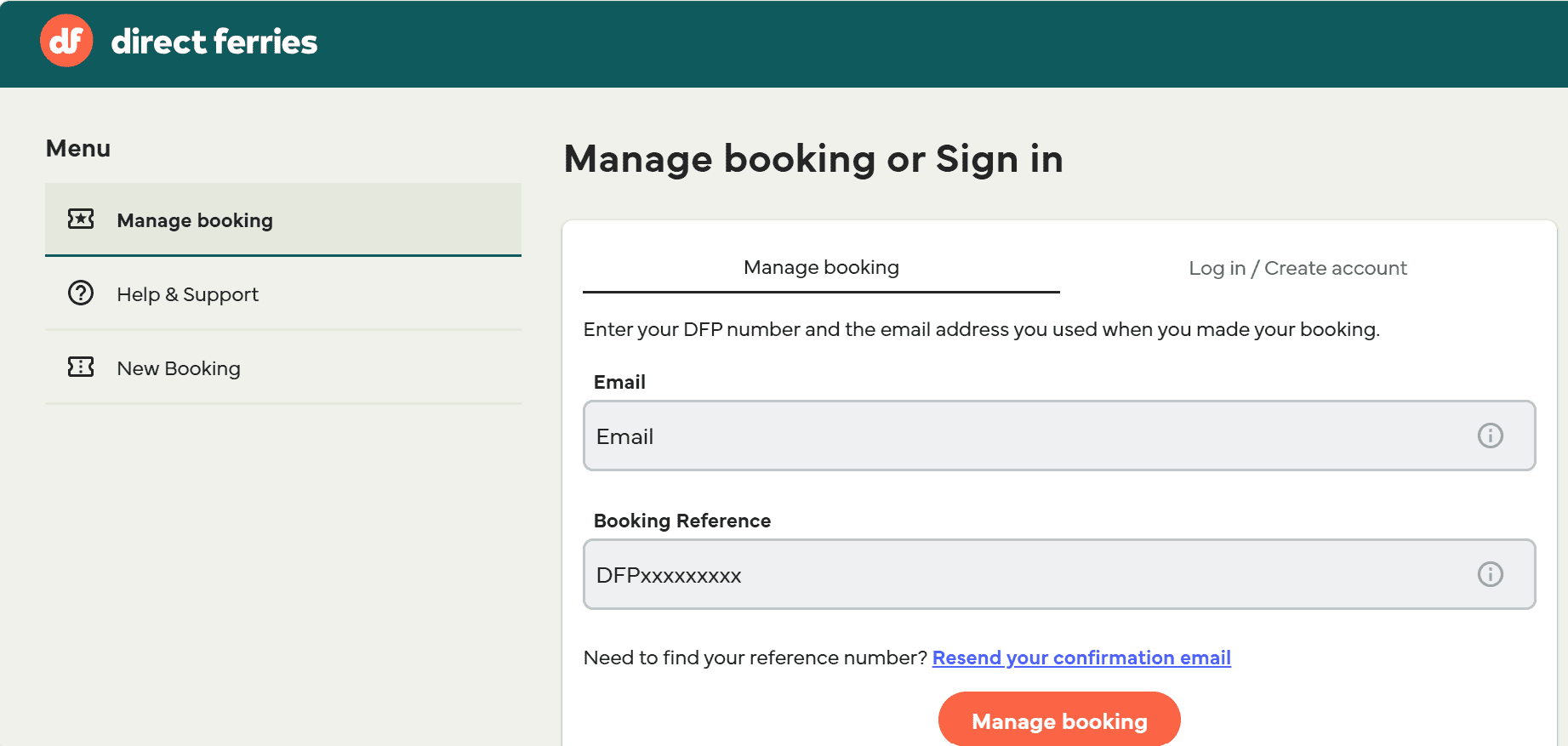
You can have your confirmation email resent from the Direct Ferries website using your booking reference or the email address used at the time of booking. If you entered your email address incorrectly during booking, contact Direct Ferries via the Virtual Assistant in My Account, and the Customer Service Team can update it and resend the confirmation.
Direct Ferries provides an online portal known as My Account. This is the primary self-service portal for viewing and managing your reservations.
You can complete a booking without creating a Direct Ferries account, but registering for an account makes it much easier to manage your reservation, track your bookings, and access customer support in just a few clicks. If you booked as a guest, you can still access your booking details using your booking reference and email address.
Tip: We strongly recommend that you manage changes and cancellations through My Account rather than by emailing or messaging the support team. Online self-service is both faster and cheaper — amendment and cancellation fees are lower when actioned through My Account than when handled by the customer service team.
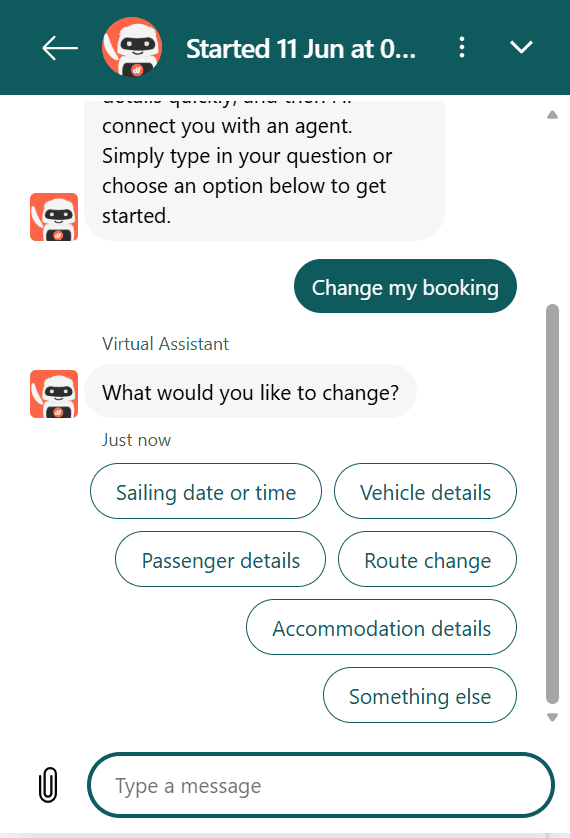
Whether you can change your booking depends on the ticket type you purchased and the terms of the ferry operator. Please be aware that only certain promotional and special-offer tickets can be amended.
The best way to amend your booking is through My Account on the Direct Ferries website. Log in using your email and reference number, select the relevant booking, and follow the amendment process. If a booking cannot be changed online, you can contact the Direct Ferries support team via the messenger in My Account.
If you need to amend your booking, an administration fee may apply along with any difference in fare between your original and new sailing. The exact fee depends on how the amendment is made:
| Amendment Method | Direct Ferries Fee | Additional Charges |
|---|---|---|
| Online via My Account | £10 per booking | Any fare difference applies |
| Via messenger or contact form (offline) | Up to £20 per booking | Any fare difference applies |
| Within 24 hours of original booking (online) | Fee waived | Fare difference only |
| Flexi ticket or with Cancel For Any Reason added | Fee waived | Fare difference only |
24-hour grace period: If you realise you've made a mistake immediately after booking, Direct Ferries waives its own £10/$13 amendment fee for changes made within the first 24 hours. However, you will still be required to pay any difference in fare if the new sailing costs more.
Cancellation is subject to the terms of your ticket type. Only certain promotional and economy fares are refundable. Always check the fare conditions before booking if you think there is any chance you may need to cancel.*
The easiest and cheapest way to cancel is through My Account on the Direct Ferries website. Once you select a booking and request cancellation, Direct Ferries will show you exactly how much you will receive back before you confirm, so you can make an informed decision. You are not committed to cancelling until you confirm the request.
You can also request cancellation through the Direct Ferries messenger or contact form, but this costs a higher fee and usually takes longer to process.
Direct Ferries charges a minimum cancellation fee on all cancellable bookings. The fee depends on how you cancel:
| Cancellation Method | Minimum Direct Ferries Fee |
|---|---|
| Online via My Account | £10 per booking |
| Via messenger or contact form (offline) | £20 per booking |
If you do not cancel your booking in advance and simply do not show up for your sailing, refunds are only issued in accordance with the ferry operator's own terms. Most operators will not provide any refund for a no-show, and you lose the full value of your ticket. Always cancel in advance if you know you won't be traveling.
*The information on this page is provided for general guidance only and is not guaranteed to be complete, accurate, or up to date. Schedules, fares, and ticket policies are subject to change, and refund or modification eligibility is determined by the ferry operator's terms and conditions.
Once a cancellation or refund has been processed by Direct Ferries, you will receive a confirmation email confirming the refund amount and the expected timeframe for it to appear in your bank account.*
Direct Ferries processes refunds on the same day the cancellation is confirmed. However, how quickly the money appears in your account all depends on your payment method and bank:
| Payment Method | Typical Refund Timescale |
|---|---|
| Credit or debit card | 3–5 working days |
| PayPal | Up to 10 working days |
| iDEAL | Up to 10 working days |
Yes, Direct Ferries will always process refunds to the same payment method used at the time of booking. If your debit or credit card has since expired, the refund will still reach you as long as the underlying bank account remains active. You do not need to provide updated card details.
If the ferry operator cancels or changes your sailing in any way, the operator's own refund terms apply. If you are entitled to a refund under those terms, Direct Ferries will transfer it to you as soon as it is received from the operator. In some cases, the operator may issue a voucher rather than a cash refund. If so, Direct Ferries will issue a voucher of equivalent value, assuming you have not already received one directly from the operator.
*The information on this page is provided for general guidance only and is not guaranteed to be complete, accurate, or up to date. Schedules, fares, and ticket policies are subject to change, and refund or modification eligibility is determined by the ferry operator's terms and conditions.
Direct Ferries offers an optional paid add-on known as Cancel For Any Reason, which gives you greater flexibility to cancel your booking without having to satisfy the specific conditions of your underlying ticket type.
Cancel For Any Reason gives you the flexibility to cancel your ferry booking for any reason and receive a refund. Depending on the level of cover you choose, you can receive either 80% or 100% of your ferry ticket cost back if you cancel successfully.
Please note that any cancellation fees and the cost of the Cancel For Any Reason cover itself are not included in the refund.
Cancel For Any Reason must be selected and paid for at the same time as your original ferry booking. It cannot be added to a booking after it’s been completed, and it cannot be removed once purchased.
Simply log in to My Account at least 48 hours prior to your departure, select the booking you wish to cancel, and confirm the cancellation. Your 80% or 100% refund will be returned to your original payment method within 5 working days.
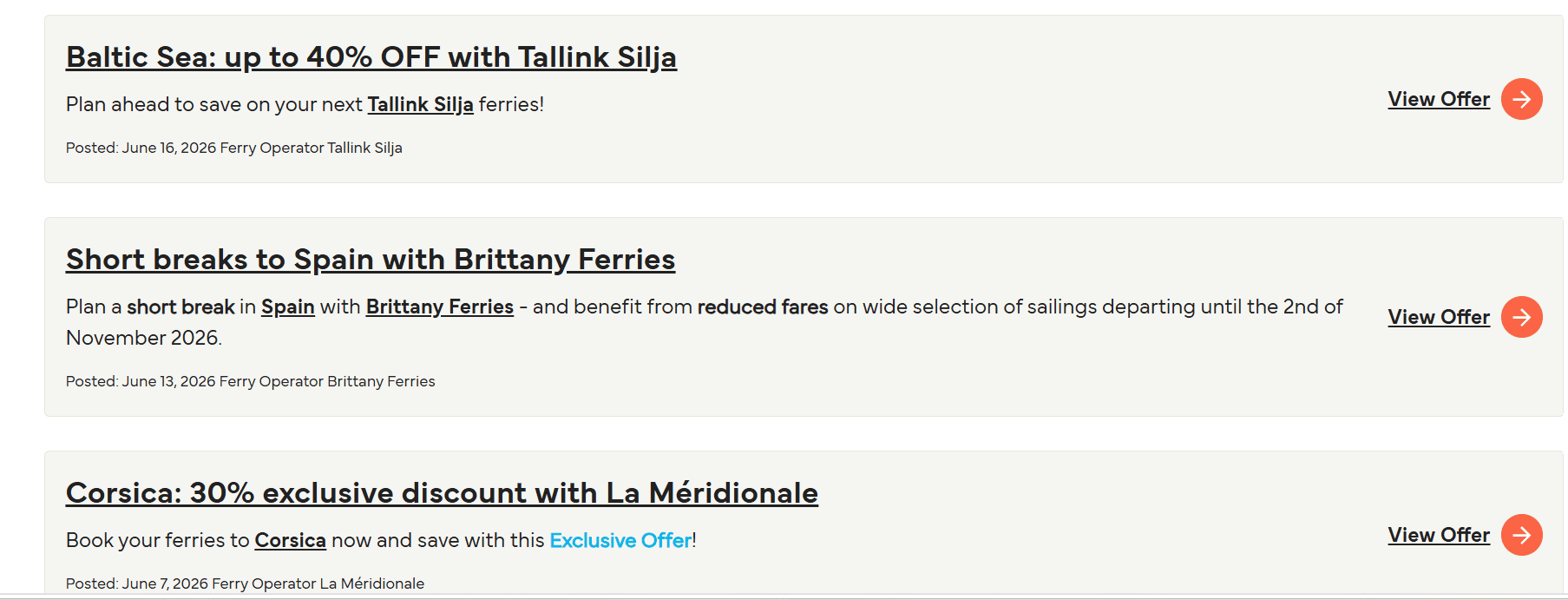
There are a host of promotional fares and special offers from operators available with Direct Ferries. We automatically apply the latest promotional fares and special offers from ferry operators to your booking, so you’ll always get the best available price without needing to search for discounts.
Offers may be time-sensitive and available on selected routes and dates, but you can be confident that any applicable savings are already included when you book with us.
We list discounts where they are offered by individual ferry operators. Depending on the route and operator, you might find discounted fares for seniors, students, and residents of certain destinations. These discounts are operator-specific and not universally available across all routes. You should select the appropriate passenger category during the search and booking process to see whether relevant discounts apply.
If you have a valid promotional or discount code, there will be a field to enter it during the booking process before you confirm and pay. If the code is not being accepted, please check the expiry date and any route or fare restrictions that may apply. Some codes are valid only for specific routes, operators, or travel periods.
We do not have a public telephone customer service line for general passenger enquiries, so you don’t have to stay on the phone or hold while we help you. Alternatively, the primary contact channel is the online messenger system available through My Account and the Direct Ferries Help Centre.
The best way to get in touch is through the messenger, accessed via the blue Help button in the bottom right corner of the Help Centre or within My Account. A virtual assistant is available 24 hours a day, 7 days a week, and can answer many common questions automatically. If it cannot resolve your query, it collects the relevant information and connects you with a member of the support team.
The support team is available every day from 08:00 to 20:00. Outside these hours, you can still leave a message through the messenger, and you will receive an email notification when the team has replied.
Response times can vary depending on contact volume. For straightforward queries, our virtual assistant can often provide an immediate response. Where a human agent is needed, replies are typically sent within the same day during operating hours.
We prioritise queries based on departure dates, so if you have an upcoming or urgent sailing, you can expect a quicker response. For pre-travel queries, using the messenger in My Account is usually the fastest way to get support.
More routes than anyone else.

Compare fares, times & routes in one place.
Change plans easily with flexi tickets.

Book e-tickets & manage trips in-app.
Live ship tracking & real-time updates.

Top-rated customer support when you need it.